Is your Apple CarPlay not working, not connecting, or constantly disconnecting? You’re not alone. This is one of the most common issues drivers face with modern infotainment systems.
In many cases, the problem is simple and can be fixed quickly. But sometimes, it points to a deeper issue with your car’s system or installation.
This guide will walk you through:
- The most common Apple CarPlay problems
- Simple fixes you can try yourself
- When you need professional help
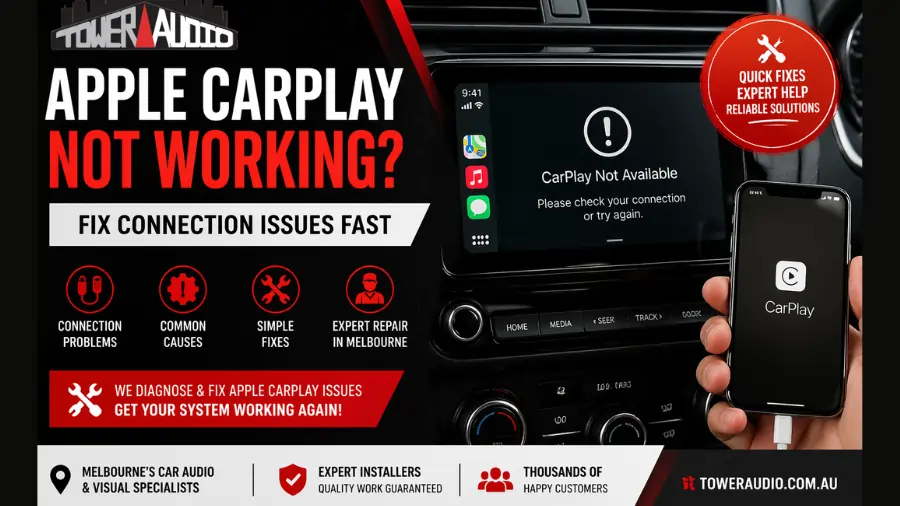
Common Apple CarPlay Problems
If your CarPlay isn’t working properly, it’s usually one of these issues:
• CarPlay not connecting at all
Your iPhone doesn’t connect when plugged in or via wireless connection.
• CarPlay keeps disconnecting
It connects briefly, then drops out randomly.
• Black screen or frozen display
CarPlay launches, but the screen is blank or unresponsive.
• No sound or audio issues
Music, calls, or navigation audio isn’t working properly.
• Siri not responding
Voice commands fail or don’t activate correctly.
Quick Fixes You Should Try First
Before assuming it’s a major issue, try these simple fixes:
1. Restart your iPhone
A quick reboot can resolve temporary glitches.
2. Check your cable (for wired CarPlay)
- Use an original or high-quality cable
- Avoid damaged or cheap cables
3. Enable CarPlay in settings
Go to: Settings → General → CarPlay. Make sure your car is connected and allowed.
4. Update your iPhone
Outdated iOS versions often cause compatibility issues.
5. Restart your car
Turn off your vehicle, wait a few minutes, and restart.
6. Reset network settings
This can fix connection issues:
Settings → General → Transfer or Reset iPhone → Reset Network Settings
When Apple CarPlay Still Doesn’t Work
If none of the above fixes solve the issue, the problem is likely more serious.
Common causes include:
Faulty wiring or installation
Poor installation or worn wiring can interrupt connectivity.
Head unit issues
Your car’s infotainment system may be outdated, incompatible, or failing.
Software compatibility problems
Some vehicles require updates or specific configurations.
Wireless interference
Bluetooth and WiFi conflicts can affect wireless CarPlay.
Do You Need a Professional Diagnosis?
If your CarPlay:
- Keeps disconnecting
- Doesn’t respond consistently
- Only works sometimes
- Has audio or display issues
👉 Then it’s likely not a simple fix.
At this point, a proper inspection is needed to:
- Test wiring and connections
- Check system compatibility
- Diagnose head unit faults
Apple CarPlay Repair & Installation in Melbourne
If you’re in Melbourne and your Apple CarPlay isn’t working properly, we can help.
At Tower Audio, we specialise in:
- Apple CarPlay diagnostics
- Fixing connection and wiring issues
- Upgrading faulty head units
- Professional installation for all vehicle types
👉 If your system can’t be fixed, we can recommend and install the right solution for your car.
Need Help With Your CarPlay System?
If you’re tired of dealing with connection issues, it may be time for a proper fix.
👉 Learn more about our service here: Apple CarPlay Installation Melbourne
We’ll diagnose the issue and get your system working reliably again.
Frequently Asked Questions
Why does Apple CarPlay keep disconnecting?
This is usually caused by a faulty cable, weak wireless connection, or wiring issues.
Can Apple CarPlay stop working suddenly?
Yes, software updates, connection issues, or hardware faults can cause sudden problems.
Does my car need an upgrade for CarPlay to work?
Some older vehicles require a compatible head unit upgrade to support CarPlay.
Is wireless CarPlay less reliable?
Wireless CarPlay can be affected by interference, but proper setup usually resolves this.
Final Thoughts
Apple CarPlay issues can be frustrating, but most problems fall into two categories:
- Simple connection or settings issues
- Hardware or installation-related faults
If basic fixes don’t work, getting it checked properly will save you time and ongoing frustration.